

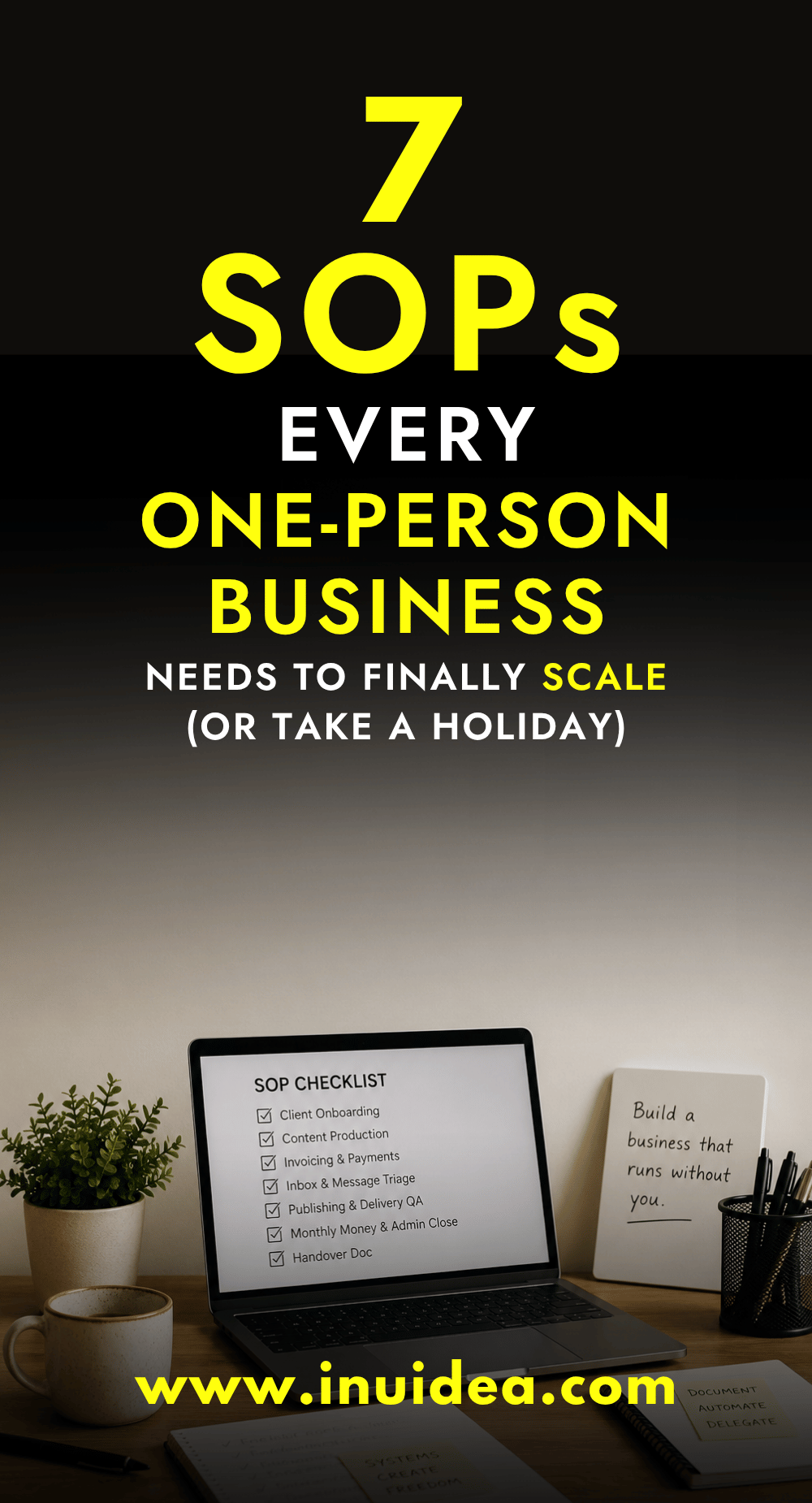
Here’s a quick test. If you handed your laptop to a smart friend tomorrow, could they run your business for two weeks using only what’s written down? If the answer is no, you don’t own a business yet. You have a job that follows you on holiday.
Running a one-person business sounds like freedom until you realize you can’t leave it alone for a week. Every process, every login, every “oh, that’s just how I do it” lives in your head. The business runs because you’re there, and the moment you step away, it stops.
The fix is boring, and it works: standard operating procedures, or SOPs. Stay with me, because solo founders actually need these more than big companies do. Below are the seven to write first, plus a way to document them that won’t eat your week. Freelancing, blogging, running any kind of online business, doesn’t matter. Same problem, same fix.
Table of Contents
What an SOP actually is (and what it isn’t)
An SOP is a written set of steps for performing a task consistently every time. That’s it. It can be a checklist, a short walkthrough or a five-minute screen recording with notes. If someone can follow it and get the same result you would, it counts. If you want the longer breakdown of what an SOP is, there’s a fuller guide on it.
What it isn’t: a 40-page corporate manual with version control committees and approval chains. That’s what scares most solo founders away from the whole idea. You’re not writing documentation for an audit. You’re writing instructions for the future version of you who forgot how this works, or for the first freelancer you’ll eventually hire.
Think of SOPs as the difference between a recipe and “I just cook by feel.” Cooking by feel is fine until someone else needs to make the dish, or until you haven’t made it in six months.
Why one-person businesses skip SOPs (and why that’s backwards)
Most solopreneurs treat SOPs as a “later” problem. Something you do once you have a team. The opposite is true: the smaller your business, the more dangerous it is to keep everything in your head. Here are the three excuses I hear most, and why they don’t hold up.
“It’s just me, why would I document anything?”
Because “just me” is exactly the problem. A ten-person company can survive one person getting sick. Your business can’t. Every undocumented process is a single point of failure, and you are all of them at once.
There’s also a sneakier cost. Without written processes, you can’t delegate, automate, or sell the business later. Buyers and freelancers can’t work with what’s in your skull.
“I don’t have time to write processes”
You don’t need extra time; you need to capture time you’re already spending. The next time you do your invoicing, write down the steps as you go. The task takes maybe 10% longer once, and then you never have to reconstruct it from memory again.
Compare that to the time you lose re-figuring out tasks you only do monthly or quarterly. How do I export that report again? Which email template did I use for late payers? It feels like nothing in the moment. But add it up and it’s hours every month, gone.
“I’ll remember how I did it”
You won’t. Memory is great for things you do daily and terrible for things you do every few weeks. The tasks you do rarely are exactly the ones that need documentation most, because they’re the ones you’ll fumble.
The 7 SOPs every one-person business should write first
Don’t try to document everything. Start with the processes that touch money, touch clients or would hurt the most if you forgot them. These seven cover most one-person businesses.
1. Client onboarding
Everything that happens between “yes, let’s work together” and the actual work starting. The welcome email. The contract. The deposit invoice, the questions you always ask, the folders you set up. It’s usually the messiest stretch in a solo business, and weirdly, it’s the part clients judge you on hardest. A clean onboarding makes you look like a team of ten. A scrappy one makes them wonder what else is held together with tape.
2. Content production
If content brings you traffic or clients, document how you make it from idea to published. Keyword or topic selection, outline, draft, edit, images, upload, promotion. If you run a blog, this pairs with the systems in the guide on how to start a blog, because a blog that earns is a blog with a repeatable production process behind it.
3. Invoicing and getting paid
Define when you invoice, what the invoice includes, your payment terms and what happens on day one and day fifteen overdue. Write your follow-up emails once and save them as templates. Chasing money is awkward when you wing it. When it’s just a step in a procedure, the awkwardness goes away. You’re not being pushy, you’re following the system.
4. Inbox and message triage
Decide once how incoming messages get handled. What gets answered same day, what waits for your admin block, what gets a saved reply, and what gets deleted. An SOP here stops your inbox from becoming your to-do list.
5. Publishing and delivery QA
A short checklist you run before anything goes out the door. Links work, names are spelled right, files are the right version, and the invoice amount matches the proposal. Five minutes with a checklist saves you the embarrassing “sorry, wrong attachment” email.
6. Monthly money and admin close
One recurring procedure for the boring stuff: reconcile income, log expenses, back up files, review subscriptions, and check your numbers against last month. Done as a documented routine, this takes an hour. Done from memory at tax time, it takes a weekend and ages you.
7. The handover doc
Yes, this one sounds like the corporate thing I told you to avoid. It isn’t, because it’s one page, not a binder. It’s the master doc that points to everything else: where your SOPs live, where your passwords are managed, who your key clients are and what’s due when. You write it once and update it rarely. If you ever hire help, get sick or just want two weeks off, this is the single page that makes it possible.
How to write an SOP without overthinking it
The biggest mistake is treating SOP writing as a separate project. It’s not a project, it’s a habit you attach to work you’re already doing. Here’s the approach that actually sticks.
Document the task while you’re doing it
Next time a repeatable task comes up, open a blank doc beside it and write the steps as you perform them. Don’t write from memory, because memory smooths over the small details that trip people up. The screenshots, exact button names and “wait for the email before doing step four” details are the whole value.
One pass like this gets you an 80% SOP. The next time you run the task, follow your own instructions and fix whatever was unclear. Two cycles and it’s solid. You’ll be surprised how often your first draft skips a step you do on autopilot and never think to mention.
Match the format to the task
Not everything deserves the same treatment. Use the lightest format that still gets a repeatable result.
Checklists
Best for tasks where the steps are obvious but skippable, like your publishing QA or monthly close. The value isn’t explanation, it’s making sure nothing gets missed.
Step-by-step walkthroughs
Best for tasks with decisions in them, like onboarding or invoicing follow-ups. Number the steps, include the templates and note the “if this, then that” branches.
Screen recordings
Best for anything inside software. A five-minute recording of you doing the task, with a short written summary underneath, beats an hour of writing. Don’t polish it. Don’t re-record because you said “um” twice. Ugly and done wins.
Keep everything in one place
SOPs scattered across Notion, Google Drive, email drafts and your notes app are SOPs that don’t exist. Pick one home, create one folder structure and link everything from your handover doc. The tool matters way less than the consistency.
Date it and review it quarterly
Every SOP gets a “last updated” date at the top. Once a quarter, skim them while you do the task and fix what changed. An outdated SOP is worse than no SOP, because someone will follow it confidently into a mistake.
What SOPs actually unlock
Documentation for its own sake is pointless. Nobody should write SOPs to feel organized. You write them for what comes next, and there are three things worth the effort.
Delegation that doesn’t require babysitting
The reason most solopreneurs fail at hiring their first VA or freelancer isn’t that good help is hard to find. It’s that they have nothing to hand over, so “delegation” becomes answering questions all day. With SOPs, you hand someone a procedure instead of a vague request. If you’ve never worked with freelancers before, the freelancing guide shows you the other side of that relationship, and it’ll make you better at briefing them.
Automation you can trust
You can’t automate a process you haven’t defined. Once your steps are written down, the automatable ones become obvious: the welcome email sequence, the invoice reminders, the report exports. Pair your SOPs with some of the AI tools out there now, and entire chunks of your admin can run without you touching them.
Time off that’s actually off
This is the one in the title, and it’s the real prize. With documented processes, a handover doc and a VA covering the basics, you can disconnect for two weeks without the business stalling. If your bigger dream is working from anywhere long term, SOPs are step one of becoming a digital nomad, because a location-independent business is just a well-documented business with better scenery.
Start with one SOP this week
Don’t let this turn into another someday project. Pick the next repeatable task on your calendar, open a doc beside it and write the steps as you go. That’s your first SOP, and it’ll probably take 20 minutes.
Do that once a week, and in two months you’ll have the seven core procedures covered. The business stops being a memory game. It starts being a system. And a system is the only thing that scales, the only thing you can hand off, and the only thing that lets you actually book the flight without a knot in your stomach.
Your future self, lying on a beach with notifications off, will thank you for the boring documents you wrote today.
This is a guest post written by Joaquin Ortega
Joaquin is a content writer and digital marketing specialist at SafetyCulture. He writes about operations, processes, and the systems that help small teams run without everything living in one person’s head. He combines hands-on experience in tech hardware and local AI with a passion for internet culture.
If you want to submit guest posts to Inuidea, check out the guest post guidelines for Inuidea.
If you have any questions or if you wanna work with me, feel free to contact me.
Leave A Comment